


Many businesses and creators using email platforms like ConvertKit or ActiveCampaign for audio delivery run into the same problem: people sign up for one type of content but later start receiving episodes that aren’t really meant for them.
The problem arises mostly because of delivery.
When Hello Audio is connected with ConvertKit or ActiveCampaign, access can be organized through segmented feeds. Someone who signs up for a specific topic gets only content related to that topic, while another subscriber gets something entirely different.
This guide walks through how the Hello Audio ConvertKit integration works, how to set it up, and how to use it to deliver audio in a way that actually lines up with the audience.
What Segmented Podcast Feeds Mean in Email-Based Content Delivery
Segmented podcast feeds mean that not everyone gets the same audio; what a listener hears depends on what they signed up for or are interested in.
When content is structured around how people actually listen, it becomes easier to follow and stay with:
- New listeners can receive introductory or beginner-level content.
- Paid subscribers can unlock premium or members-only audio.
- People interested in specific topics can receive content focused only on those areas.
- Different customer groups can move through separate audio journeys based on their needs or stage.
As Reddit user MattyRaz puts it:
“I think a podcast without segments is more doomed if anything. Segments allow you to make your show more easily digestible, help set listener expectations, and make the job of show prep more streamlined by giving you refillable areas each week to plug in instead of having to come up with a whole new show from scratch.”
Does Hello Audio Integrate With ConvertKit and ActiveCampaign for Segmented Feeds?
Yes, Hello Audio integrates with both Kit (formerly ConvertKit) and ActiveCampaign, and the integrations can be used to control access to segmented podcast feeds. The email platform handles who belongs in which group, and Hello Audio uses that to decide what each listener can access.
What this really comes down to is pretty simple:
- People are grouped using tags or lists inside the email platform.
- Those groups are tied to specific podcast feeds in Hello Audio.
- Access updates automatically based on what group someone is in.
That means there’s no need to manually add or remove listeners. If someone signs up, gets tagged, or moves through a funnel, their access just adjusts with it.
Both Kit and ActiveCampaign support this kind of setup, but they handle segmentation a bit differently under the hood. We’ll walk through exactly how each one works in the next sections.
How Segmented Feeds Work With ConvertKit
In Kit, segmentation starts with tagging subscribers and then grouping them based on those tags and their activity. As people interact with the content, those groups keep updating on their own.
Here’s how it works inside Kit:
- A subscriber joins a list: People usually join through a form or landing page that is tied to a specific podcast topic or offer.
- They get tagged based on that action: Tags can reflect what they signed up for, clicked, or purchased.
- Segments are created using tags and conditions: Segments can include people who match all conditions, any condition, or exclude certain criteria, depending on the rules being used.
- Kit keeps those segments updated automatically: If someone’s tags or activity change, they move in or out of the segment without any manual work.
- Subscribers can belong to multiple segments at once: Their position depends on what they’ve done, not when they joined.
That idea of grouping people based on real behavior is what makes segmentation useful in the first place. As Reddit user KevinOnTheRise pointed out:
“The best segmentations focus on creating differentiated but ‘real’ segments.”

How Segmented Feeds Work With ActiveCampaign
In ActiveCampaign, segmentation is built around contact behavior – what people click, what they sign up for, and how they interact with emails. Automations then use that information to decide where each person fits and how they move between groups over time.
Here’s how it works:
- A contact enters the system: This can happen through a form, campaign, or integration.
- Actions are tracked and used for segmentation: ActiveCampaign can organize contacts based on things like tags, custom field values, email opens, link clicks, purchases, or website activity.
- Segments are created using conditions: Segments are built using rules based on tags, behavior, or engagement. For example, contacts who signed up for a webinar, clicked on a product email, or showed interest in a specific topic can all be grouped into the same segment.
- That segment is used inside automations: Automations can check if a contact matches a segment, wait until they do, or route them differently based on it.
- Contacts move as their behavior changes: If someone meets the conditions, they enter the segment. If not, they drop out. This happens automatically as they interact.
Set Up Process for Segmented Feeds With Hello Audio
Once the feeds and audience groups are organized, the rest of the setup is mostly about properly connecting everything so delivery and access work as they should.
Here’s how to do it:
1. Create a Separate Feed for Each Segment
Start by creating a new private feed in Hello Audio.
Each feed should be tied to a specific audience group. In most cases, feeds are separated by course, program, topic, membership tier, or content type.
- Create a new private feed for each distinct audience.
- Name it in a way that reflects the segment clearly (for example, a course name or topic).
- Choose how content should be delivered: all at once, on set dates, or spaced out over time.
- Keep each feed focused so listeners only see what’s relevant to them.
The idea is simple: if the content is meant for a different group, it should live in a different feed.
2. Upload and Organize the Content
Once the feed is ready, upload audio or video files.
Titles can be edited, notes can be added, and episodes can be arranged in order that listeners are meant to follow, whether that’s by topic, lesson sequence, or release schedule.
3. Connect Email Platform
Next, connect the email tool.
Go to the integrations section in Hello Audio and connect Kit or ActiveCampaign using API details. This connection is what allows subscriber data to sync between the two platforms.
4. Set Up Signup Page Automations
Each feed comes with its own signup page. This is where actions related to new signups can be configured.
Inside the feed settings, it’s possible to:
- Add the subscriber to an email list
- Apply a tag
- Remove a tag (for example, clearing a waitlist tag after signup)
This step connects the signup flow to the segmentation system.
5. Configure Feed Access and Delivery Settings
Before listeners are added, each feed’s access and delivery settings can be configured inside Hello Audio.
This includes deciding how content should be released, whether access should remain ongoing or time-based, and how invite emails or listener permissions should be handled.
6. Add or Sync Listeners
Listeners can be added in a few different ways:
- Manually (by adding emails or uploading a CSV)
- Automatically (through the email platform or tools like Zapier)
Most setups rely on automation, so new subscribers are automatically placed in the right feed.
7. Send Access to Listeners
Once someone is added to a feed, Hello Audio can send them an invite email automatically.
Access links can also be sent through the email platform, especially when more control over the messaging is needed.
At this point, everything is connected. New subscribers are added, tagged, and given access based on the setup, and as their status changes, their access can change with it.
If tags and automations are already in place, this part is pretty straightforward. Hello Audio simply plugs into the existing setup and handles the delivery side automatically.
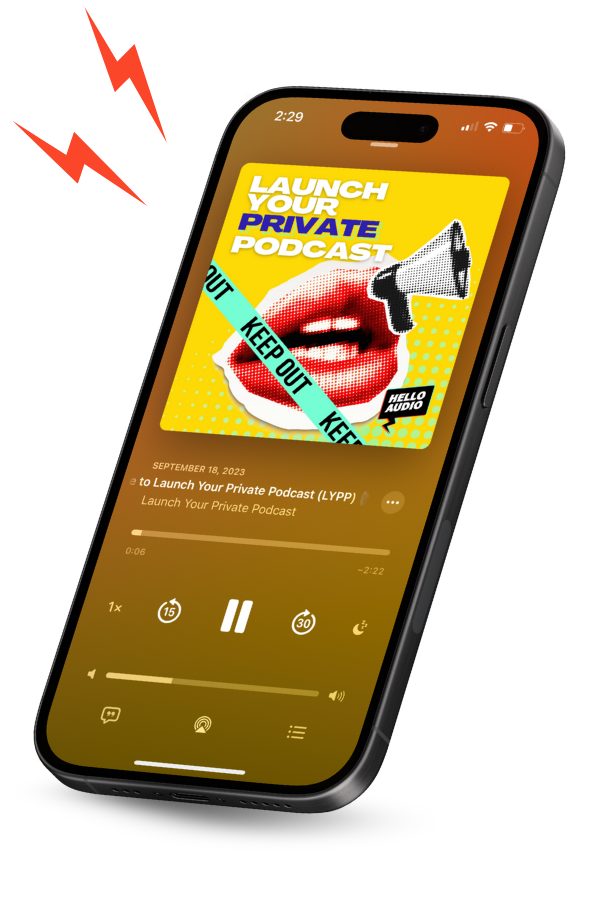
The content is delivered through a private podcast feed, and listener access updates are based on the assigned tags. Each listener gets a separate feed that works in the podcast apps they already use, without the need to manage access manually.
Sign up with Hello Audio today and set up the first segmented feed.

Use Cases: Who This Integration Serves
This setup makes the most sense when the audience isn’t all looking for the same thing. With podcast listenership crossing 584 million globally and email segmentation driving significantly higher engagement, combining the two offers both reach and relevance for businesses looking for better audience engagement tools.
The main advantage comes from being able to match different types of content to different types of listeners, instead of treating the entire audience the same. As one Reddit user, EmailListVerify_, in a discussion put it:
“Sending the same email to both is lazy and hurts conversions. Someone who already bought doesn’t need a why us email, and a cold lead doesn’t need a loyalty offer.”
The same thing happens with audio content, too. People are more likely to stay engaged when they’re getting episodes that actually match what they signed up for.
Here’s where this setup actually makes sense:
- Content creators and digital product sellers: This setup works well for creators managing multiple offers, audiences, or paid content streams. Instead of sending the same audio to everyone, each group can receive content tied to the product or topic they signed up for.
- Coaches, consultants, and service providers: Coaches and service providers can use segmented feeds to deliver onboarding audio, client resources, or program updates to different client groups without manually managing access.
- Educators and course creators: Educators can organize lessons by level, topic, or learning stage so listeners move through the content in a more structured way instead of receiving everything at once.
- Businesses using content marketing funnels: Businesses can deliver audio content based on subscriber interest, lead source, or stage in the funnel instead of sending the same updates to everyone.
- Communities and membership platforms: For businesses running a membership software, segmented feeds make it easier to manage access across different plans or member tiers. Content access can update automatically as members join, upgrade, or cancel.

Frequently Asked Questions (FAQs)
Here are some common questions that come up when setting up and using Hello Audio with segmented feeds:
Does Hello Audio Support Webhooks for Custom Integrations?
Yes, Hello Audio supports webhooks for custom integrations. Data can be sent out using webhook actions or received from other tools to manage listeners.
In practice, this allows Hello Audio to connect with tools that aren’t natively supported. For example, someone using a custom membership platform or checkout system can use webhooks to add listeners to a feed automatically after a purchase or signup.
Can You Use Hello Audio Without Any Email Platform?
Yes, Hello Audio can be used without connecting to an email platform.
Listeners can be added directly inside Hello Audio or imported in bulk. If some level of automation is still needed, tools like Zapier can handle that. It’s also possible to choose whether Hello Audio sends the access email or whether access links are sent manually.
Does Hello Audio Support Zapier for Automation?
Yes, Hello Audio supports Zapier, which allows actions to be automated between different tools.
With the Hello Audio–Zapier integration, actions in one platform can automatically trigger actions in another. For example, someone who fills out a form, buys a product, or joins a mailing list in another app can be automatically added to a Hello Audio feed via Zapier.
Can You Deliver Different Episodes to Different Users?
Yes, Hello Audio allows different episodes to be delivered to different users using tags.
If a listener has a specific tag, they can access certain episodes. If they don’t, those episodes won’t show up for them. This makes it possible to tailor content within the same feed, not just across different feeds.
Is RSS Feed Access Secure in Hello Audio?
Yes, Hello Audio uses a private podcast RSS feeds for listener access.
Every listener receives a separate feed link instead of one public RSS feed shared with everyone. Access can also be removed later without deleting the listener completely.
Conclusion
As an audience grows, the way content is delivered matters just as much as the content itself. People sign up for different things, and that needs to carry through to what they hear.
Once Hello Audio is connected to an email platform and the feeds are organized around different audience segments, delivery starts to follow the system automatically. Someone signs up or gets tagged a certain way, and that determines what they hear, without any need to step in and manage it each time.
On the delivery side, everything works through a private podcast feed. Listeners can access content through the podcast apps they already use, without manual access management behind the scenes.
Get started with Hello Audio and set up the first segmented feed.