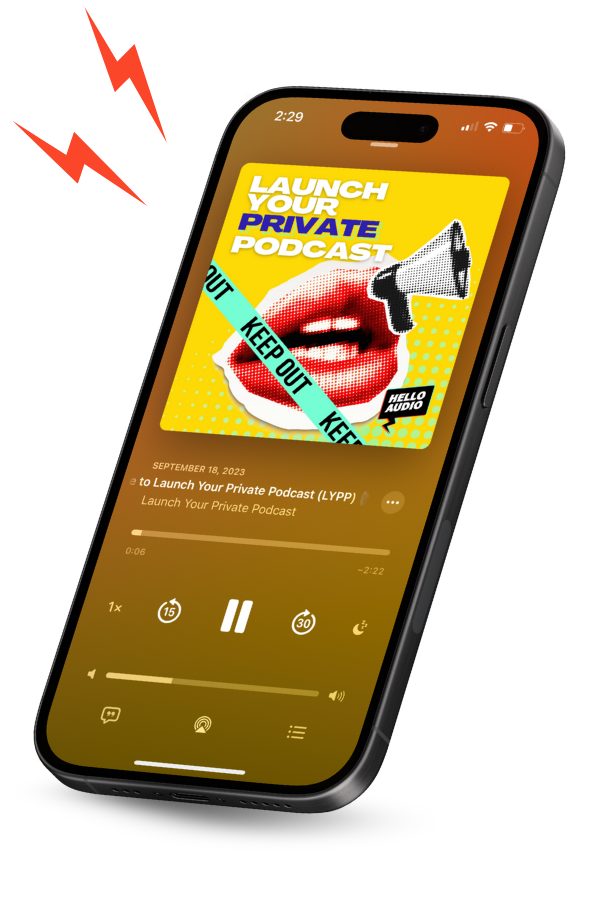


What if a podcast feed could adjust to each listener?
Over 75% of podcast users prefer platforms that understand their unique interests and provide content tailored to them.
But most private podcast setups still work the same way. One shared link, same episodes, same order, no matter when someone joins.
Hello Audio works differently. Each listener gets their own feed, allowing creators to control access, pace content, and track how people are actually listening.
This guide breaks down how Hello Audio personalized podcast feeds work, how they differ from standard private feeds, and how to set one up for courses, memberships, or programs.
Personalized vs. Private Podcast Feeds: What Sets Hello Audio Apart
Before getting into the setup, here’s a quick reality check: private and personalized aren’t the same thing.
Most private podcast feeds are pretty simple. There’s a restricted link, someone subscribes, and from there, everyone’s listening to the same episodes in the same order. Nothing really changes from one listener to the next.
Hello Audio takes a different approach by tying each feed to the individual listener. That changes how content is delivered, tracked, and managed.
Here’s a side-by-side breakdown of how that difference shows up in practice:
How Hello Audio Personalized Feeds Work
At a high level, personalized feeds come down to how access and content are handled for each listener.
Here’s how that works in practice:
Each Listener Gets a Unique Feed Link
Instead of relying on a single shared RSS link, Hello Audio assigns a separate subscribe link to each listener.
Once opened in a podcast app, that link ties access and experience directly to the individual.
Because of that, the feed can be managed at the listener level. Access, timing, and even what appears inside the feed can change without affecting anyone else.
Listening Behavior Triggers Actions
Since the feed is linked to a specific person, Hello Audio can track what that listener does.
The platform shows what listeners play, how far they get, and what they return to. That activity can then trigger actions like tagging the listener or moving them into another feed. That means listener activity can directly shape what happens next.
The Feed Reflects Listener Details
Personalization also shows up in how the feed looks.
Feed titles, episode titles, and podcast show notes can include listener details like their first or last name. So one person might see “Audio Content for Jamie,” while another sees “Audio Content for Alex.”
If that information isn’t available, the platform uses fallback text automatically so the feed still reads naturally.
Integrations Handle Data and Delivery
Hello Audio integrates with tools like Kit and Manychat, which automatically pass listener details into the platform.
This makes it possible to generate and send personalized subscribe links without doing it manually. Links can also be resent, or access can be updated as needed, based on how the system is set up.
Hello Audio Feed Types
Only knowing how personalized feeds work isn’t enough. It’s also essential to understand how the content actually shows up for the listener.
In Hello Audio, that comes down to the type of feed selected. Each one handles timing a little differently, like when episodes become available, and how long a listener keeps access.
That’s what allows the feed structure to be matched to the intended use case; whether everything should be available upfront, released on a schedule, paced over time, or removed after a deadline.
Here’s how each feed type works and where it fits best:
Key Features That Make Hello Audio Feeds Personalized
Personalization comes from how the system is set up around the listener. Access, content, and delivery can all adjust based on who the listener is and what they do.
Here are the Hello Audio features that make that possible:
- Unique listener link: Each listener gets a private subscribe link tied to their email. This enables managing access, tracking activity, and treating each listener’s feed as a separate experience.
As one Reddit user easypeasymuonsqueezy puts it:
“We do this at HelloAudio.fm, which mainly focuses on private podcast features. You get unlisted feeds with a unique link for each listener. You can sync up signups with your email list to automatically add folks to both if you’d like.”
- Individual access control: Access can be updated for a single listener at any time. For example, someone can be removed after a refund or once a trial ends, and their feed stops working without affecting anyone else.
- Listener-level analytics: Activity shows which episodes someone plays, how much they listen to, and whether they come back later. This makes it easier to see where people lose interest or what they keep returning to.
- Behavior-based triggers: What a listener does can shape what they see next. For example, once they finish one episode, the next one in the sequence can be unlocked or surfaced automatically.
- Works in standard podcast apps: Listeners can subscribe through apps like Apple Podcasts or Spotify using their private link, so there’s no need to learn a new platform or change how they usually listen.
To see how this works in practice, set up a feed in Hello Audio and test it with a small group.

Use Cases for Hello Audio Personalized Podcast Feeds
Hello Audio is built for situations where access, timing, and listener experience need to be controlled at an individual level.
That shows up across a few common use cases:
Paid Memberships and Premium Content
Private feeds can be used to deliver paid content to subscribers.
This could be an exclusive audio series, a bonus podcast, or a members-only content library. Since each listener has their own link, access can be managed per person. If someone cancels, their access can be removed without affecting others.
Audio Courses and Programs
Course creators often use Hello Audio to turn lessons into a structured audio experience.
Content can be delivered all at once or released over time using drip schedules. This works well for programs where pacing matters or where learners need to follow a specific sequence.
Coaching and Mastermind Replays
Coaches and group program hosts can share session recordings through private feeds.
Instead of uploading recordings elsewhere, they can be dropped directly into the feed. Clients already have access, so the sessions just show up for them.
It also means there’s no need to juggle who should or shouldn’t see a specific replay.
Corporate and Internal Training
Teams can use personalized feeds to distribute internal content.
Things like onboarding, team updates, or training sessions can be shared through a private feed that only employees can access. There’s no need to rely on shared folders or scattered links, and access can be adjusted as people join or leave.
Marketing and Lead Generation
Personalized feeds can also be used as part of a funnel.
Private audio series, webinar replays, or limited-access content can be created for leads. Since each listener has their own link, engagement can be tracked and followed up based on what they listen to.
Content Repurposing
Existing content can be turned into audio and delivered through a feed.
So, how to repurpose content? That could mean turning blog posts, course videos, or recorded sessions into audio episodes and delivering them as a podcast feed people can follow while commuting, working out, or multitasking.
It’s a simpler way to make existing material more usable, especially for those who prefer listening to watching.
How to Create and Launch Your First Personalized Feed
Creating a personalized feed in Hello Audio is straightforward. The key step is adding listeners so each person has their own access.
A common concern is how quickly someone can go from signing up to actually listening. As dajon_love, a Reddit user, pointed out:
“HA allows you to add a simple link to a confirmation page, which grants access to the private podcast.
HA is more user-friendly to begin with.”
Here’s how to set it up:
- Create a private feed: To create a new feed, click Create New Feed and choose Private. This sets up a feed that isn’t publicly accessible.
- Add the content: Fill in feed details like title, author, and description. Then upload episodes by dragging in media files. Hello Audio will convert them into podcast-ready episodes automatically.
- Add listeners by email: Listeners can be added in the ‘Listeners’ section using their email addresses. A list can be pasted in bulk if needed. Each person will receive an email with their own private subscribe link, which becomes their personal feed when opened in a podcast app.
- Include listener details for personalization: If personalization, like “Audio Content for Jamie,” is needed to appear in the feed, that data needs to be passed in. Most people just connect a tool like Zapier, Kit, or Manychat, so names get added automatically.
- Test the listener experience: Before sharing it with others, open the feed with a test email and see how it appears in a podcast app. It helps catch anything that might feel off.
Frequently Asked Questions (FAQs)
Here are answers to common questions about how Hello Audio personalized feeds work:
Does Every Listener Get a Different RSS Link?
Yes.
In Hello Audio, private feeds are tied to individual listeners. Each person gets their own RSS link connected to their email.
That’s what allows tracking of listening behavior and management of access at the individual level.
What Podcast Apps Are Compatible With Hello Audio Feeds?
Hello Audio feeds work with most standard podcast apps.
This includes apps like Apple Podcasts, Spotify, Overcast, and other standard podcast players. They choose their preferred app, tap subscribe, and the feed opens there.
Can a Listener’s Access Be Revoked?
Yes.
Inside the feed’s ‘Listeners’ section, access can be turned off, or the listener can be removed entirely. Once that’s done, their link stops working, and the episodes disappear from their feed.
Is Hello Audio Different From a Standard Podcast Host?
Yes.
A typical podcast host is designed for publishing public RSS feeds. Everyone gets the same content, and access isn’t tied to individual listeners.
Hello Audio is built for private feeds where access, tracking, and content delivery are managed per listener.
Conclusion
Most private podcast setups stop at access. A link gets shared, someone subscribes, and that’s pretty much it.
Everything after that is static. Same episodes, same order, no matter who the listener is or when they joined.
Hello Audio changes that by making the feed personal to each listener. What they see, when they get it, and how long they keep access can all be controlled without requiring additional manual work.
That makes it easier to run courses, memberships, or client-only content without constantly updating people or sending new links. Everything sits in one place and updates as needed.
Sign up with Hello Audio to create a personalized feed today.