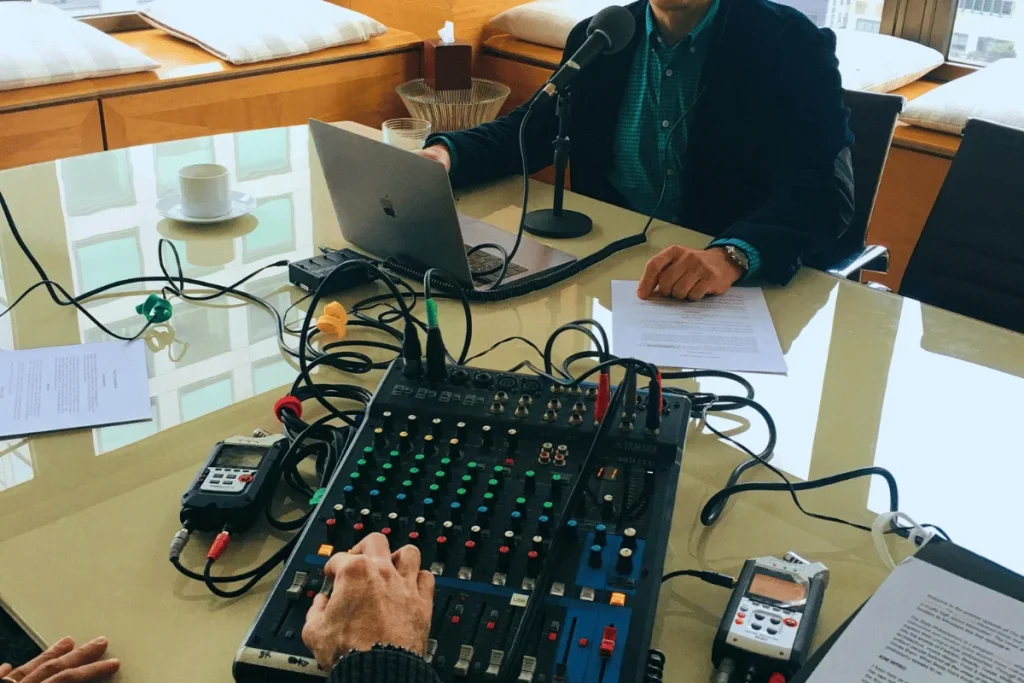

If you’re running conferences, summits, or virtual events, you’ve probably seen how hard it is to get attendees to go back and watch the recordings. Replay links are usually sent by email, but most people never return to them after the event.
Even with strong email performance, the average click rate is only about 2%, indicating that a large portion of recorded content never gets opened.
Because of this, many event hosts are looking for ways to make recordings easier to consume without making them public. Delivering sessions as a private podcast has become a practical solution, allowing organizers to keep access limited to attendees while offering a format people can listen to on their own time.
This guide explains, step by step, how to turn conference recordings into a private podcast.
What is a Private Podcast?
A private podcast is an audio feed that only certain people can access. It doesn’t appear on public directories like Apple Podcasts or Spotify, and listeners need a private link or RSS feed to subscribe. Once they’re in, they can listen in their normal podcast app just like any other show.
The only difference is that the content isn’t open to everyone. This makes private podcasts useful for paid programs, internal training, events, or recorded sessions meant for a limited audience.
With 73% of people aged 12+ having listened to a podcast, audio has become one of the easiest formats for people to keep up with content.

Why Deliver Conference Recordings as a Private Podcast
Most conferences record every session, but once the event is over, those recordings rarely get the attention they were meant to. Replay pages are easy to ignore, long videos take time to sit through, and people usually move on to the next thing before they finish even a few sessions. Changing the format from video replays to a private podcast can make a big difference in how much of that content actually gets used.
Here’s why more event hosts are starting to deliver recordings this way:
- Higher content consumption: Audio fits into moments where a video struggles to. Attendees can listen while commuting, traveling, or doing routine work, which makes them more likely to finish full sessions rather than skip through recordings.
- Controlled access for paid or private events: Conference recordings often shouldn’t be public. Private podcast feeds allow you to give access only to registered attendees, team members, or paid participants without uploading content to open platforms.
- Better post-event engagement: Instead of content being watched once and forgotten, sessions become an on-demand audio library people can go back to over time. This keeps the conference useful even weeks after it ends.
- Easier delivery with no new apps required: Listeners can use their usual podcast app, eliminating the need for logins, downloads, or learning a new platform. That convenience alone can increase how much content gets consumed.
You can see the impact in the numbers. On Hello Audio alone, creators have generated over 50 million listens across 10,000+ private podcast feeds, which reflects patterns that you might have seen in high-converting private podcasts.
Key Requirements for Delivering Conference Recordings Privately
Turning conference sessions into a private podcast is mostly about preparation. The recordings already exist, but they still need the right permissions, structure, and delivery setup before they can be shared with attendees in a controlled way.
Key requirements include:
Permission to Record and Share the Sessions
Before anything is published, make sure speakers have agreed to their sessions being recorded and redistributed.
A live talk and an on-demand replay aren’t always covered by the same permission. It’s also good practice to tell attendees that sessions may be shared later, especially if the event includes Q&A or audience participation.
Controlled Audio Quality for Podcast Delivery
Conference sessions are often recorded for video first, which means the audio may not always be strong enough on its own. When you plan to deliver the content as a podcast, clarity will matter more than visuals.
That’s why you need to keep in mind to use a clean microphone, minimize background noise, and do some light editing for better output.
Organizing Sessions Into a Clear Episode Structure
Uploading full-length recordings in random order makes it harder for attendees to go through the content later. Breaking sessions into separate episodes, using clear titles, and maintaining a logical order turn the recordings into something that feels like a series.
Tracking Engagement After the Event
For many organizers, the real question is whether the content is still being used after the conference ends. Listening data can show which sessions people finish, which ones they skip, and how long they stay engaged. That kind of insight makes it easier to improve future events and show the long-term value of recorded content.
Keeping Access Private Without Making It Complicated
Conference recordings should be limited to registered attendees, members, or internal teams, but access shouldn’t be difficult for listeners. If opening a replay requires multiple logins or large downloads, most people won’t go back to the content.
Private podcast delivery solves this by letting organizers share recordings through a secure feed that works in the listener’s regular podcast app.
Hello Audio is built for this use case, making it easy to turn recordings into private feeds, control access, set expiration rules, and track listening without relying on replay pages or video libraries.
If you want to deliver conference recordings securely while keeping them easy to access, sign up today.
How to Set Up a Private Podcast for Conference Recordings
After the conference ends, the recordings usually sit in a replay folder or cloud drive. Turning them into a private podcast just means deciding where to host them, how to organize the sessions, and who should have access.
Here’s a step-by-step process:
Choose a Platform That Supports Private Podcast Feeds
Start by choosing a platform that supports private podcast feeds and listener-level access control. Specifically for conference recordings, it helps when the platform allows bulk uploads, expiration settings, and basic analytics so access can be managed after the event.
Platforms like Hello Audio make this easier by letting organizers upload recordings, control who can listen, and keep sessions restricted to attendees.
In a Reddit discussion about private podcast hosting, dark_shuyin explained how this works in practice:
“You’re looking for a podcast hosting service that provides an option for a private podcast. The private podcast behaves like a public one, but each member has their own unique RSS feed to add to their podcast apps.”
Prepare the Conference Recordings for Audio Delivery
Conference sessions are usually recorded as long video files, which don’t always translate well to audio. Cutting out technical delays, separating sessions into individual episodes, and giving each one a clear title makes the feed easier to follow later.
If the talk depends heavily on slides, adding a short intro can help listeners understand the context without needing the video.
Create the Private Podcast Feed
Inside the hosting dashboard, create a new show and select the private or restricted option. This generates a secure podcast RSS feed that won’t appear in public podcast directories. Each conference session can then be added as a separate episode so attendees can listen in any order.
Organizing episodes by day, track, or topic makes the feed easier to navigate, especially for multi-day conferences.
Add Listeners and Set Access Rules
Instead of sharing one public link, a private podcast feed allows access to be more controlled per listener. All the attendees can be added individually, imported as a list, or invited through a unique link. If replay access should only last for a certain period, expiration settings can be applied at the feed or listener level.
This format is very useful for paid conferences, memberships, or internal events where recordings shouldn’t stay online permanently.
In a Reddit discussion about private podcast feeds, Tamusie explained how you can control access:
“Unique URLs are how you control access, and some hosts let you bulk invite people and handle the links for you.”
Share the Feed With Attendees
After the feed is set up, attendees receive a private link that lets them listen in their usual podcast app. Since they don’t have to log in to a replay page or download new software, it’s easier for people to go back to sessions later.
This simple delivery method is one reason private podcasts often get higher post-event engagement than traditional video libraries, especially for long conferences with multiple sessions.
Criteria to Select the Right Private Podcast Platform
Once the recordings are ready and the delivery format is clear, the next step is choosing where the private feed will be hosted.
The following features are worth checking before choosing a tool:
- Access control options: The podcast platform should allow you to limit who can listen through private feeds, invite-only access, or expiring links. This is important for paid events, internal conferences, or sessions that shouldn’t be publicly available.
- Listener management: For larger events, access often needs to be given to many people at once. Look for the ability to add listeners in bulk, send invitations automatically, and remove access when replay availability ends.
- Simple listening experience: Attendees are more likely to use the recordings if they can listen in their regular podcast app. Platforms that require new accounts or extra logins usually see lower engagement after the event.
- Support for long-form event recordings: Conference sessions are often recorded as video or long audio files. A suitable platform should handle large uploads, allow multiple episodes, and make it easy to organize sessions in the right order.
- Analytics and usage tracking: Listening data helps measure how much of the content is actually being used. Being able to see which sessions were played, skipped, or completed can help evaluate the event’s success and plan future recordings.
- Flexible access duration: Recording access should be adjustable based on how long you want attendees to keep the content. Features like expiration dates or controlled access windows make it easier to manage replay availability. You won’t have to move files later either.
Common Mistakes to Avoid
Turning conference recordings into a private podcast is straightforward, but a few common mistakes can make the content harder to use than it needs to be. Most of these happen after the event, when recordings are uploaded without much planning.
Common issues include:
- Uploading full recordings without editing: Sessions often include delays, tech issues, or off-topic discussion. Leaving everything in makes episodes longer than they need to be, which increases the chances that listeners stop halfway through.
- Keeping sessions too long: A 45-60-minute keynote speech may work fine during a live event, but when it comes to audio, the same talk can feel heavy. Splitting longer sessions into smaller parts can make the feed easier to follow and less overwhelming.
- Using unclear titles: File names like “Day2_Session3_Final” don’t help anyone. Episode titles should describe the topic so listeners can quickly decide whether to listen.
- Making access harder than necessary: If attendees have to log in every time, download files, or switch between platforms, many won’t go back to the recordings. The easier the listening experience, the more likely the content will be used.
- Forgetting about post-event engagement: Recordings are often uploaded once and never looked at again. Without tracking listens or seeing which sessions are popular, it’s hard to know whether the content is actually being used.
- Not deciding how long recordings should stay available: Not setting a clear replay duration can create confusion for attendees and extra work for organizers later. Planning access length in advance makes it easier to manage recordings and avoid last-minute changes.

Frequently Asked Questions (FAQs)
A few common questions come up when conference recordings are delivered as a private podcast:
Can Conference Recordings Be Converted Into a Serialized Podcast Format?
Yes, conference recordings can be released as a series instead of uploading everything at once. Sessions can be published in event order, grouped by topic, or scheduled over time. This makes it easier for attendees to go through the content without feeling overwhelmed.
How Long Should Conference Podcast Episodes Ideally Be?
There’s no fixed length, but shorter episodes usually work better for audio. If sessions are long, they can be trimmed or split into parts so listeners can finish them more easily. The goal is to keep the content complete while making it easier to follow.
Can Private Podcasts Be Monetized After the Event?
Absolutely,recordings can be repurposed after the event as paid content, part of a membership, or bonus material. Access can be limited to buyers or subscribers without making the sessions public, which makes private podcast delivery useful for paid replays.
Is It Possible to Offer Tiered Access to Conference Recordings?
Yes, access doesn’t have to be the same for everyone. Recording access can be limited based on ticket level, session type, or membership permissions. With Hello Audio, this can be managed by using separate private feeds or controlling access for each listener.
Conclusion
Your valuable conference recordings should not sit idly in replay folders that most of the attendees never even open. If the goal is to keep people engaged after the event, the format matters just as much as the content itself.
Delivering sessions as a private podcast makes it easier for attendees to listen on their own time while keeping access limited to the right audience.
This is where a private podcast platform helps. With Hello Audio, recordings can be shared as private feeds, access can be limited to attendees, replay access can expire automatically, and listening activity can be tracked without using replay pages.
If you want your conference recordings to actually get used after the event, sign up with Hello Audio.