
Picture a student who bought your course last month. They planned to start it, but work, family, and errands kept getting in the way.
Audio helps because students can listen while they drive, cook, or walk. Whether they actually press play, though, depends on where your audio lessons live.
Most course platforms put audio on a lesson page. A private podcast feed sends each lesson to the podcast app students already use.
In this article, we compare Hello Audio vs. a course platform for audio courses, including delivery, completion, pacing, access, and how the two work together.
TL;DR: Hello Audio vs. a Course Platform for Audio Courses
Here’s the comparison in brief:
- ●Audio courses: Both options can host recorded lessons, whether audio-only or alongside video.
- ●Delivery: A course platform keeps audio on a lesson page, while Hello Audio sends it to the student’s podcast app.
- ●Completion: Course platform lessons usually need screen time, but Hello Audio lessons play during drives, chores, and workouts.
- ●Controls: Course platforms drip modules and track lesson progress, and Hello Audio adds expiring episodes, per-student links, and listener analytics.
What Counts as an Audio Course?
An audio course teaches through recorded lessons that students listen to.
Creators usually build one in one of two ways:
- ●Audio-only course: You record every lesson as audio, and students learn entirely by listening.
- ●Audio companion: You add an audio version of an existing video course, so students can choose the format they prefer.
In both cases, you also need to decide how to deliver the lessons. That means choosing where the files live and what students do to play them.
How Each Option Delivers Audio Lessons
The two options differ most in the steps a student takes before a lesson plays.
Here’s how each one works:
On a Course Platform
Most course platforms treat audio as another lesson type.
The setup usually follows a familiar pattern:
- ●Upload: You upload an MP3 or embed a player on a lesson page inside your student area.
- ●Access: Students sign in to the course site or app and open the right module.
- ●Playback: Students press play on the lesson page, and some platforms also let them download the file.
With Hello Audio
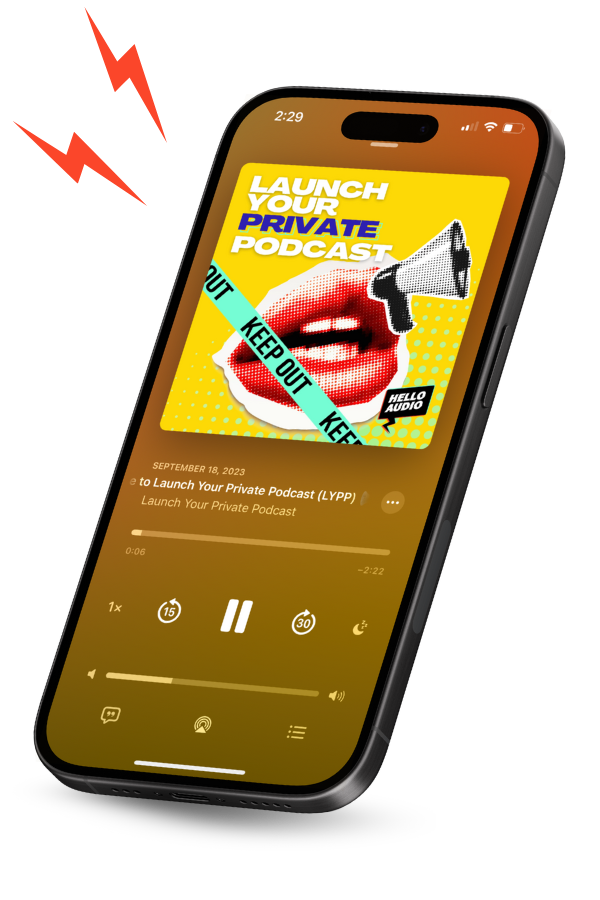
Hello Audio turns each lesson into an episode of a private podcast that only approved listeners can access.
Here’s what that looks like for you and your students:
- ●Upload: You add your lessons to a private feed in our dashboard.
- ●Access: We give every student a unique link, and they add your course to their podcast player in two clicks.
- ●Playback: New lessons show up in their podcast player automatically, so students never search a module menu.
Students can listen on the phone they carry every day. About nine in ten U.S. adults (91%) own a smartphone, according to Pew’s mobile fact sheet.
This table puts the two delivery paths side by side:
| Step | A Course Platform | Hello Audio |
|---|---|---|
| Where the lesson lives | A lesson page inside your student area | An episode in a private podcast feed |
| What the student opens | Your course site or its app | The podcast player they already use |
| How they get in | Sign in to their student account | Add a private link once, in two clicks |
| How new lessons arrive | Students return to the course for the next module | New episodes appear in their feed automatically |
How Delivery Affects Course Completion
Many students quit online courses because work and life leave them no time.
In one university English MOOC, 2,660 of 2,957 enrollees didn’t complete the course. Students who dropped out most often cited work-life balance challenges, such as long working hours and irregular shifts, according to a study in Discover Education.
Podcast listeners, by contrast, already multitask. Australia’s media regulator found that they often listen while driving (39%), doing household or yard chores (36%), or exercising (36%), according to ACMA’s listening trends report.
That listening habit changes how each option fits into a student’s week:
- ●Course platform: Students usually sit down at a screen and open the course before a lesson starts.
- ●Hello Audio: Lessons play from the podcast app during drives, chores, and workouts.
As a result, private podcasts increase course completion for many students who lack spare desk time.
Course Controls for Pacing, Access, and Analytics
After students enroll, each option uses different controls to manage their experience.
Three controls matter most for an audio course:
Drip and Expiring Episodes
Drip settings decide how much of the course students see at once.
Each option handles drip settings differently:
- ●Course platform: Most platforms drip modules on a schedule or release them as students progress, and the audio follows that schedule.
- ●Hello Audio: You can drip an episode every Monday, release the whole course at once, make episodes date-based, or set them to expire after a deadline.
Per-Student Access
Access settings control who hears each lesson and for how long.
Here’s how each option manages that access:
- ●Course platform: Access follows enrollment, so students can open lesson pages while their enrollment is active.
- ●Hello Audio: Each student gets a unique private link that you can keep active or remove. Listener tags also give specific students access to specific episodes, so tiered offers and bonus lessons share one feed.
Listener Analytics and Follow-Ups
Analytics show you which students keep listening and which ones stop.
Each option tracks that progress in its own way:
- ●Course platform: Most platforms track progress by lesson, such as which modules a student opened or marked complete.
- ●Hello Audio: Our listener analytics show who listens, what they listen to, and when. Automations then email students who haven’t activated their feed or follow up after a key episode.
Creators Who Built Their Courses Around Audio
Several Hello Audio users already deliver their courses through private feeds.
Here are three of their stories:
- ●Kaitlyn Kessler: Energetics and business coach Kaitlyn Kessler replaced her LMS with private podcasting for her programs. On our Launch Your Private Podcast show, she explained that audio became her top tool for keeping content delivery simple and sustainable.
- ●Leanne Hughes: The international facilitator launched an audio-only course and links transcripts and support material in the show notes. She drips content weekly and uses listener analytics to see which students activated each episode.
- ●Jaclyn Mellone: She reported that her student success rates rose by 400% after she launched private feeds for her courses.
These results are individual, and your results will depend on your audience and offer.
How Hello Audio Works Alongside Your Course Platform
Hello Audio is our private podcast platform for creators and businesses that want people to finish their content. We turn courses, coaching call replays, memberships, and lead magnets into secure private feeds that people play in their own podcast app.
You can keep your course platform and use our private feeds for the audio lessons.
In a paired setup, each tool handles a different job:
- ●Your course platform: It handles enrollment, video walkthroughs, worksheets, and quizzes.
- ●Hello Audio: It delivers the audio lessons, so students can keep learning away from the screen.
Amy Porterfield’s team used this approach and put their entire course into a private, students-only podcast in less than a day. Students could then put her in their earbuds and learn on the go.
Three features keep the paired setup running smoothly:
Integrations That Sync Students
You can connect a private podcast for your course to the tools you already use. We offer direct integrations with Thinkific, ThriveCart, and MemberVault, and you can connect other tools through Zapier and webhooks.
These integrations send each new student a unique link automatically. They can also remove the link when a student’s access ends.
Video-to-Audio Conversion
You don’t need to re-record your video lessons. Drag in your MP4 or MOV files, and our bulk upload converts a full course to audio in minutes.
You can use the same process to repurpose existing content for students who prefer to listen.
Show Notes for Visual Material
Slide-heavy programs can also use private podcasts for visual content. The audio explains each lesson, and the show notes link to the slides, workbook, or transcript.
Once your course platform and Hello Audio work together, students get structure from the platform and flexibility from their private feed.
Over 70% of our new users launch their first audio feed in less than 24 hours. Our built-in checkout and Audio Inbox also let you sell your course and import Zoom, Google Drive, or Vimeo recordings without extra tools.
Watch our instant demo to see how you set up a private course feed.
Frequently Asked Questions
Course creators often ask these questions before they move their lessons into audio:
How Do Students Find the Course in Their Podcast App?+
You send each student their private link, usually in a welcome email or inside your course area.
When they tap it and choose a podcast player, the course shows up like any other show.
Is a Private Podcast Secure Enough for Paid Lessons?+
Yes, because public podcast directories don’t list private feeds. Each student also listens through a unique link, and you can remove that link when their access ends.
Can I Update a Lesson After the Course Launches?+
Yes. You can replace an episode in minutes, and students hear the updated version in the feed they already follow.
How Long Should Each Audio Lesson Be?+
Cover one idea or step per episode, so students can finish a lesson in a single walk or drive. Use a clear podcast episode structure with a hook, the core lesson, and a short recap to help each lesson stick.
Final Thoughts on Hosting Your Audio Course
The Hello Audio vs. a course platform decision comes down to where your audio lessons live. A course platform handles enrollment, video, and quizzes, and Hello Audio puts your lessons in the podcast player students open every day.
You can set up your first audio course faster than you might expect.
Hello Audio is our private audio platform for creators who want people to finish their content. We take your existing material, from course videos to live call recordings, and deliver it as personalized feeds that students can play anywhere.
Our dynamic intros and outros change based on where each student is in your program. We also generate a transcript for any episode in one click, so students who prefer reading can follow along.
Start your free 7-day trial and launch your first course feed with no credit card required.