
As a creator, picking the right tool to record and produce your podcasts or video content can make all the difference.
You’ve probably come across the Squadcast vs. Riverside debate. Squadcast focuses on rock-solid, audio-first recordings, while Riverside adds high-quality video, flexible scheduling, and built-in editing tools.
Which one fits your workflow?
In this guide, we’ll break down both platforms, their features, and what makes each one a smart choice for creators.
TL;DR – Squadcast vs. Riverside
Want a quick snapshot? Here is a table to help you see which platform fits your workflow best:
| - Quality audio for live interviews - Studio-quality recording with Dolby - Simple browser-based setup - Built-in AI tools like transcription & filler-word removal - Easy guest/session management | - High-quality video up to 4k - Async recording for flexible scheduling - AI-powered post-production - Built-in editing and content repurposing tools - Mobile app support for on-the-go recording |
| - Video tools are basic compared to Riverside - Limited post-production and content repurposing features - Mainly designed for live sessions | - Audio-first workflows can feel overkill for simple podcasts - More features can be overwhelming for beginners - Some advanced tools require high-tier plans |
| Podcasters or creators who want audio-first, live interviews with reliable, high-quality sound and a simple workflow | Creators who want video, flexible recording schedules, and tools to edit, clip, and repurpose content quickly for social media or polished episodes |
Even with these powerful tools, recording is only part of the journey.
To turn your recordings into an accessible and organized audio that actually reaches your audience, you need a platform like Hello Audio. We can help you manage private feeds, drip content, and automate delivery so your audience can follow along effortlessly.
What is Squadcast?
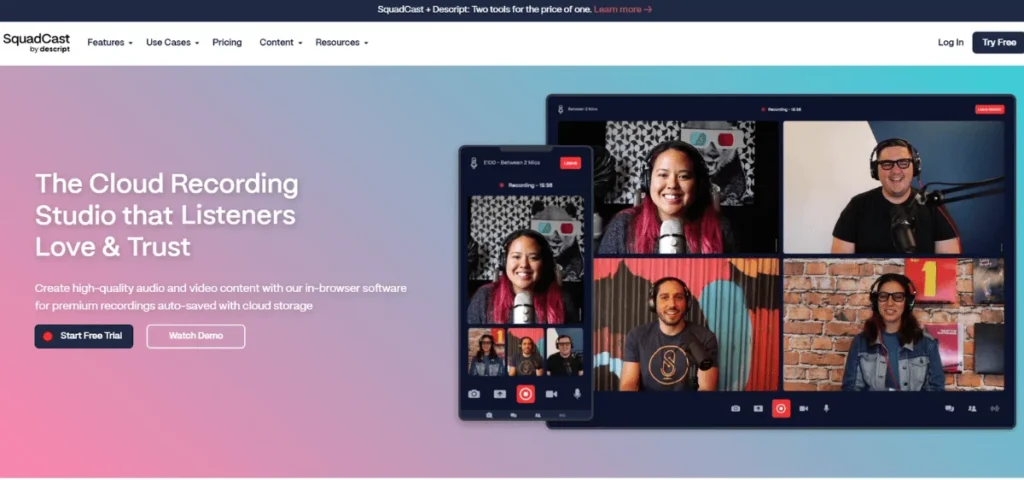
Squadcast is one of the remote podcast recording platforms built for creators who want professional-grade audio and video interviews without a studio. You don’t just hop on a Zoom call, which sounds decent.
Squadcast captures each of the participants’ feeds locally and uploads it as it’s recorded, so you get clean, high-fidelity tracks you can edit later. It’s cloud-based, works in a browser, and is designed to keep things simple for hosts and guests alike.
Since its launch in 2017, Squadcast has become a go-to tool for podcasters who don’t want to compromise on sound quality or deal with post-production headaches caused by internet glitches and low bitrates.
The platform also leaned into professional audio by teaming up with Dolby, bringing studio-like processing into remote recording. That’s why creators who care about polish often choose it over generic video conferencing tools.
Squadcast Features
Squadcast’s feature list looks long because it’s built to address almost every common pain point podcasters run into when recording remotely:
Remote Recording Studio
Squadcast runs entirely in the browser. Hosts and guests join with a link, no downloads required. Each participant is recorded on their own track, which gives you far more control during editing.
Local Audio and Video Recording
Instead of relying on internet quality alone, Squadcast records locally on each participant’s device. This results in clearer audio and higher-quality video compared to standard video conferencing tools.
Progressive Uploads and Cloud Backup
Recordings are uploaded to the cloud while the session is happening. If a connection drops or a browser crashes, your files are still safe, reducing the risk of losing an entire episode.
Studio-Quality Audio with Dolby
Squadcast integrates with Dolby Voice to improve the clarity and consistency in voice quality. This helps reduce background noise and uneven volume levels without extra post-production work.
Video Recording Support
Alongside audio, Squadcast records high-resolution video with separate tracks for each participant. This makes it easier to edit podcasts for YouTube or repurpose clips for social media.
Built-In AI Tools
Their paid plans include features such as transcription and filler-word removal, helping creators speed up editing and repurposing content.
Guest and Session Management
They offer tools like a green room, live chat, screen sharing, and calendar integrations, which make it very easy to manage interviews and keep recordings organized.
Flexible Export Options
You can export separate WAV or MP3 audio files and high-quality video files, depending on your production needs.
Squadcast Pricing
Squadcast uses tiered plans based on how much recording time you need and how advanced your feature set should be.
Their pricing tiers are:
Free –
- 1 recording hour per editor per month
- 1 show
- Add up to 10 participants.
- Basic transcription and export up to 720p (with watermark)
- Trial access to select AI features
Hobbyist – $16/mo per person (annual billing)
- 10 recording hours per editor per month
- Up to 5 shows
- Unlimited watermark-free exports up to 1080p
- Basic AI tools (e.g., filler word removal) with 30 minutes of AI speech per month
- Limited stock media access
Creator – $24/mo per person (annual billing)
- 30 recording hours per editor per month
- Unlimited shows
- Unlimited integrations
- Master audio with Dolby Voice
- Unlimited exports up to 4K
- Expanded AI suite and 120 minutes of AI speech per month
Business – $50/mo per person (annual billing)
- 40 recording hours per editor per month
- All Creator features plus a full professional AI suite.
- 300 minutes of AI speech per month
- Unlimited stock media, priority support, overdub/regenerate tools, and free basic seats for collaboration
What is Riverside?
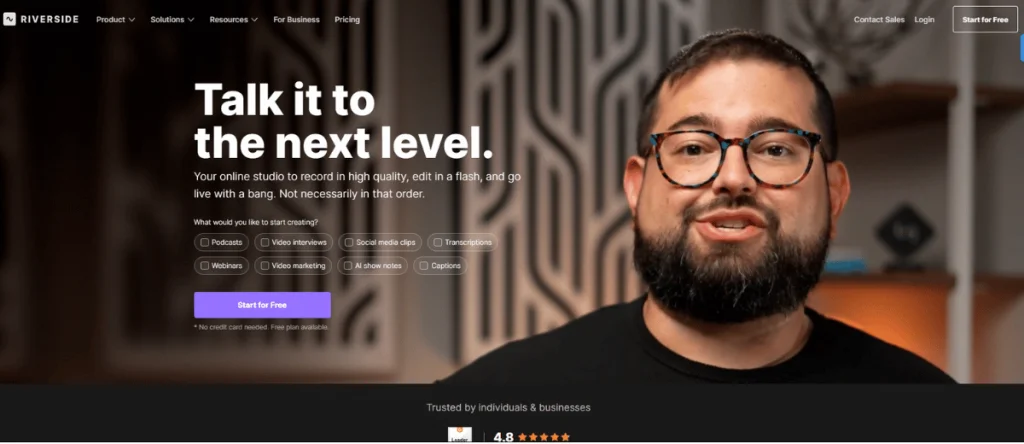
Riverside is a remote recording platform that is built for creators who want broadcast-level audio and video without having to gamble on internet quality. Instead of recording a compressed live stream, Riverside captures each participant locally and uploads the files afterward. The result is clean, lossless audio and up to 4K video you can actually work with in post.
Since 2019, Riverside has attracted creators who don’t stop at recording. Its mix of high-quality capture and built-in editing and clipping tools works well for podcasters and educators focused on video content, social distribution, and speed.
If Squadcast is about rock-solid audio reliability, Riverside is about record once, reuse everywhere.
How to Use Riverside
Using Riverside doesn’t require a learning curve. You just have to:
- Create a studio and invite guests via a link.
- Guests join from their browser or mobile app.
- Audio and video are recorded locally on each participant’s device.
- Files are automatically uploaded to the cloud and synced after the session.
- Edit, clip, or export directly in Riverside or download files for external editing tools.
You can also enable a green room for prep, monitor recording quality in real time, and manage sessions from a single dashboard.
Riverside Features
Riverside focuses on recording quality and what happens after you hit a stop. Key features include:
Local Audio and Video Recording
Each participant’s audio is recorded in lossless WAV format, and video can be captured in up to 4K. Internet issues don’t affect the final quality.
Separate Tracks for Editing
Audio and video tracks are saved separately for each speaker, giving you flexibility during post-production.
Built-In Editing Tools
Riverside includes basic editing for trimming, rearranging clips, and combining segments without exporting to another tool.
AI-Powered Post-Production
Specific features like transcription, AI-generated show notes, captions, and Magic Clips do help you speed up editing and content repurposing, especially for social media.
Magic Clips
Automatically identifies highlight moments from recordings and turns them into short, shareable video clips.
Magic Audio
An AI tool that enhances audio quality by reducing noise, echo, and uneven volume with minimal effort.
Async Recording
Guests can record their segments independently, without being online at the same time, which is useful for busy schedules or global teams.
Mobile Apps
Riverside’s mobile apps let guests or hosts record high-quality video from a phone while still maintaining local recording quality.
Riverside Pricing
Riverside offers tiered pricing based on recording quality, export options, and access to AI tools. Pricing tiers are:
Free Plan –
- 2 hours of separate audio and video track recordings per month
- Up to 720p video quality
- 44.1 kHz audio
- Riverside watermark on exports
- Full suite of editing tools included, such as Magic Clips and basic multi‑track editing.
Pro Plan – $24 / month (billed annually) or $29 / month
- Up to 15 hours of separate audio and video track recordings per month
- Up to 4K video quality
- Up to 48 kHz audio quality
- No watermark
- Teleprompter for hosts
- Unlimited text‑based editing and AI tools, including Magic Audio, unlimited transcriptions, filler‑removal, and repurposing features
Live Plan – $34 / month (billed annually) or $39 / month
- Everything in Pro, plus
- Studio‑quality live streaming in full HD
- Multistream to platforms like YouTube, Facebook, LinkedIn, Twitch
- Live audience tools like omnichat and live call‑ins
- Custom overlays and backstage speaker controls
Webinar Plan – $79 / month (billed annually) or $99 / month
- Everything in Live, plus
- Webinar hosting tools
- Unlimited scheduled sessions
- Registration pages and automated email reminders
- Live engagement features like polls, Q&A, and reactions.
Business Plan – Custom Pricing (Contact Sales)
- Enterprise‑grade recording and production tools
- Unlimited multi‑track recordings and storage
- Async recording workflows, custom branding, advanced roles, and permissions
- Studio management, API access, and priority support
What About Hello Audio?
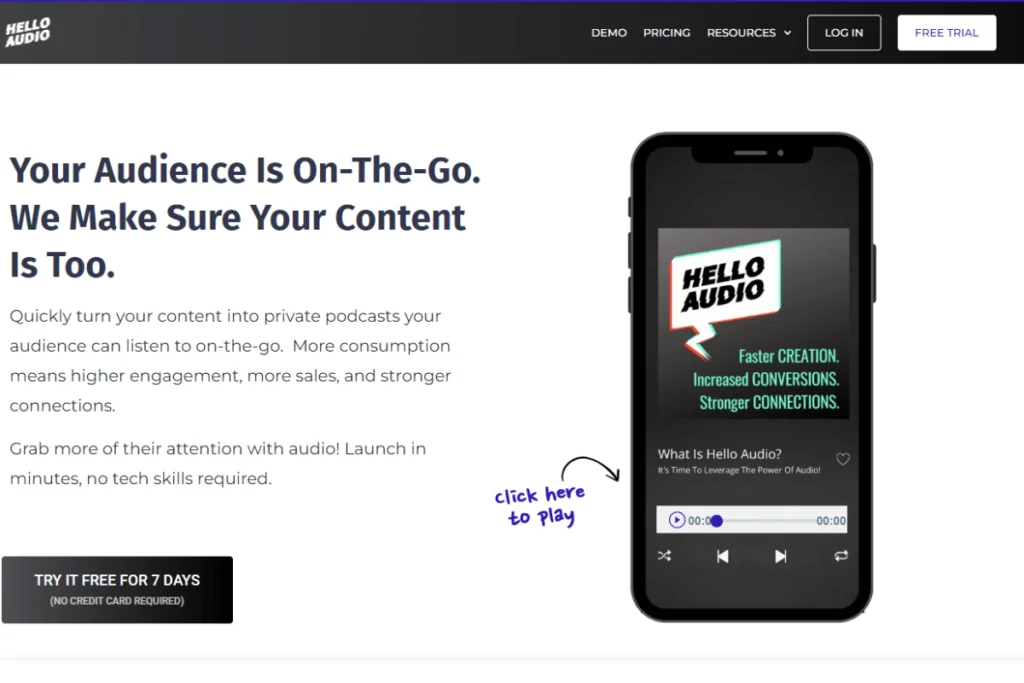
Hello Audio is not a recording tool like Squadcast or Riverside; it’s a private podcast hosting and delivery platform that is built for creators who want to turn their existing content into on-the-go experiences.
We help you repurpose your videos, coaching calls, course lessons, webinars, and other media into audio feeds so your audience can subscribe to them on their favorite streaming platform.
Key features of Hello Audio include:
- Private Podcast Feeds – Create private audio channels that only your selected listeners can access.
- Video‑to‑Audio Conversion – Upload video files and automatically turn them into audio episodes.
- Unlimited Episodes & Listeners – Most plans let you publish as much content as you want without listener caps.
- Listener Management – Tag, segment, and control access for specific audience groups.
- Automated Actions & Integrations – Connect with Zapier and other tools to trigger actions based on listener behavior.
- Dripped & Expiring Feeds – Release content over time or set episodes to expire, helping structure courses and coaching content.
- Audio Inbox – Incoming recordings arrive in a place you can easily drop into a feed, no manual upload required.
If you’re ready to turn your content into your listeners’ hand effortlessly, get started with Hello Audio today.
Detailed Comparison – Squadcast vs. Riverside (vs. Hello Audio)
Each of these platforms brings something completely different to the table. If you are hooked on Squadcast, it delivers studio-quality recordings; when it comes to Riverside, it adds video-first workflows and AI-powered editing, and Hello Audio makes it easy to distribute and repurpose your content for private or public audiences.
The table below breaks down their key features and strengths so you can see at a glance which platform fits your workflow and goals:
| Remote podcast recording with high-quality audio & video | Remote recording for audio/video with post production tools and async recording | Hosting, distributing, and repurposing audio/video content for private or public audiences | |
| Studio-quality, Dolby Voice | Lossless WAV, up to 48 kHz | Maintains original quality of uploaded content | |
| High-quality video, separate tracks, up to 4k | Up to 4k video, separate tracks, async & live streaming | Video-to-audio conversion; video not primary focus but preserves uploads | |
| Up to 10 participants per session, live | Multiple participants, async recording possible | Content uploaded by creator for listeners | |
| Filler removal, transcription, episode markers | Magic Clips, Magic Audio, AI transcription, AI show notes | Optional AI for transcripts, show notes, and marketing content | |
| Browser-based simple for hosts & guests | Browser & mobile apps, some learning curve for advanced tools | Intuitive platform for quickly launching content and feeds | |
| Export audio/video for podcast platforms | Export audio/video for multiple platforms | Private podcast feeds, public podcasts, email links, direct listener access |
Similarities and Differences
Squadcast and Riverside are both designed to make remote recording smooth and professional, but they each take a slightly different approach. If Squadcast is all about rock-solid audio for podcasts, Riverside is about high-quality video and tools to make your content ready for editing and sharing right away.
Squadcast and Riverside Differences
Squadcast and Riverside both help you record high-quality content, but they shine in different ways.
Here’s a closer look at how they compare:
- Recording Focus: Squadcast keeps audio front and center, perfect for interviews that need clarity and consistency. Riverside gives you more flexibility with video, async recordings, and AI-powered editing that helps you quickly turn long sessions into social clips.
- AI & Post-Production Tools: Riverside’s Magic Clips, Magic Audio, and auto-generated show notes make the editing and repurposing process a breeze. Comparatively, Squadcast keeps it simple yet very powerful with their transcription, filler-word removal, and studio-quality audio.
- Collaboration: Riverside lets guests record at their own pace, making it a perfect choice for global teams or busy schedules. In a similar context, Squadcast focuses more on conducting your live sessions, giving you that real-time feel and a studio-like experience.
Squadcast and Riverside Similarities
Even with these hard-hitting differences, the two platforms share a lot that makes them reliable for creators:
- Local Recording: No matter who joins from where, both platforms capture each participant on their own device, so internet issues don’t affect your final audio or video.
- Browser-Based: Guests can join easily without installing anything, just click a link and start recording.
- Flexible Exports: Audio and video tracks for each participant can be downloaded for easy editing and repurposing.
- Guest Management: Features like green rooms, scheduling, and integrated chat make managing sessions simple.
- Professional-Grade Quality: Whether it’s audio or video, you get studio-level quality without a physical studio or expensive setup.

Which Platform Should You Choose?
It depends on what you need to get done. If your main focus is on podcast-quality audio, Squadcast is a good option. It is simple, reliable, and built to make live interviews sound polished, even when there are internet glitches.
If you want high-quality video and tools to edit, clip, and repurpose content quickly, Riverside gives you more flexibility. Its async recording and AI features make it easy to turn long sessions into social clips, highlight reels, or polished episodes without extra hassle.
At the end of the day, it’s all about your workflow: Squadcast is perfect for audio-first, live interviews, while Riverside works best if you want video and built-in post-production tools as part of your process.
The Bottom Line
The end goal for your content is to make it heard.
Sure, Squadcast and Riverside let you record, but it doesn’t help with the next step. Which is getting your content to your audience, so they can hear it. That’s where Hello Audio takes over.
With us, you can turn your webinars, coaching calls, and course lessons into a private or public podcast feed, which will help you gain more control over who listens to the audio, drip content later in the timeline, and automate delivery. You can also tag and segment your audience, integrate with tools like Zapier, and keep everything organized, so your content reaches the right people without extra effort.
Ready to turn your recordings into a podcast your audience can actually follow? Book a demo today and launch your first private podcast in minutes.
Frequently Asked Questions (FAQs)
Here’s a quick guide to the most common questions creators ask about Squadcast and Riverside:
How Do Squadcast and Riverside Protect User Privacy?
Both platforms take privacy seriously. Squadcast and Riverside record locally on each participant’s device, so sensitive content isn’t constantly streaming over the internet. They also use encrypted connections and secure cloud storage to keep your recordings safe.
Are There Watermarks on Riverside Free Plans?
Yes, they offer free plans that include a watermark on video exports. But if you upgrade to a paid plan, you can remove it and unlock their higher-quality video recording and a few extra features.
What Are the Hardware Requirements for Best Quality Recording?
If you want top-notch results, a decent microphone, headphones, and a stable internet connection for uploads are recommended. Both Squadcast and Riverside handle the heavy lifting, but quality hardware ensures your recordings sound and look their best.
Do Squadcast and Riverside Work Well With External Mixers?
Absolutely. Both platforms support external audio inputs and mixers, giving podcasters and creators more control over sound quality and live adjustments during recording sessions.