

You’ve built a course, a membership, or a library of coaching replays. Now you want people to actually listen. A podcast feed looks like the obvious answer.
Hello Audio and RSS.com both deliver audio through RSS feeds that play in everyday podcast apps. They just aim at different jobs.
RSS.com is built to publish, grow, and monetize a public show. We built Hello Audio to deliver gated content to specific people.
This guide compares both on privacy, features, and price. Use it to match the platform to your goal.
TL;DR: Hello Audio vs RSS.com
Here’s the quick version before the full breakdown:
- ●RSS vs RSS.com: RSS.com is a host named after the feed format we both use.
- ●Starting point: RSS.com serves public shows. We serve gated content.
- ●Features: We lead on listener control, release timing, and private access.
- ●Privacy: We give each listener a revocable link.
- ●Cost: RSS.com has a free plan. We offer a 7-day free trial.
- ●Pick Hello Audio: Choose us when a specific audience must finish your content.
- ●Use both: A public show and a private feed can run side by side.
Is RSS.com the Same as an RSS Feed?
No. That difference shapes this whole comparison.
A podcast RSS feed is the open file podcast apps read to find new episodes. RSS.com is a podcast hosting company that took its name from that format.
Here’s the part that surprises people: we deliver Hello Audio feeds through RSS too. Shows on either platform reach listeners as a feed their app checks for new episodes.
The real question is who can open the feed. A public feed is listed in directories for anyone to find. A private feed stays out of directories. Listeners add it by pasting a unique link into their app.
How Hello Audio and RSS.com Approach Audio
Both platforms host audio and hand out feeds. Each one starts from a different listener:
RSS.com Starts With the Public Show
RSS.com is built to publish a podcast, send it to directories like Apple Podcasts and Spotify, and help it grow. Its paid plans add ads, video, transcripts, and deeper analytics as a show gains traction.
That focus makes sense. 54% of US adults say they’ve listened to a podcast in the past 12 months, according to Pew Research Center.
Public reach is a real prize.
Hello Audio Starts With the Audience You Already Have
Hello Audio is our private podcast platform for course creators, coaches, membership owners, and other creators with content and an audience already in place. We turn that content into private feeds people can play on a commute, a walk, or a school run.
We think of Hello Audio as the creator’s cure for unconsumed content.
We call our listener tools Listener Relationship Management. They show who’s listening and shape what each person hears next.
Compare Hello Audio and RSS.com Feature by Feature
This side-by-side view draws on each platform’s published plans:
| Capability | Hello Audio | RSS.com |
|---|---|---|
| Primary focus | Private podcasts for creators | Public podcast hosting and growth |
| Lowest paid plan (annual billing) | Starter, $14 per month | Plus, $15 per month |
| Directory distribution | 1 public feed on Starter and Pro, 2 on Powerhouse | Apple Podcasts, Spotify, and more on every plan |
| Unique link per listener | Every plan | Not listed |
| Remove one listener’s access | Every plan | Not listed |
| Listener tags and release by tag | Pro and Powerhouse | Not listed |
| Dripped and expiring feeds | Pro and Powerhouse | Not listed |
| Behavior-based automations | Powerhouse | Not listed |
| Video conversion | Video to audio on every plan | Audio to YouTube video on Plus and up |
| Paid access | Stripe Connect with listener signup pages | Apple Podcasts Subscriptions on Plus and up |
“Not listed” means the feature doesn’t appear on that platform’s pricing page. Check with the vendor if it matters to you.
Which Platform Keeps Your Audio Private?
Privacy is the clearest dividing line between these two platforms.
We give each listener their own subscription link. Our private feeds stay out of public directories and Google.
You can set links to stop working for anyone else once a listener subscribes. You can also remove someone’s access at any time.
That control is what lets a members-only audio feed follow active enrollment. When someone cancels, their feed goes quiet.
RSS.com is designed around the public feed. For subscriber-only content, its Plus plan and above connect to Apple Podcasts Subscriptions.
Those subscriber benefits live inside Apple Podcasts. RSS.com’s pricing page doesn’t list per-listener private links.
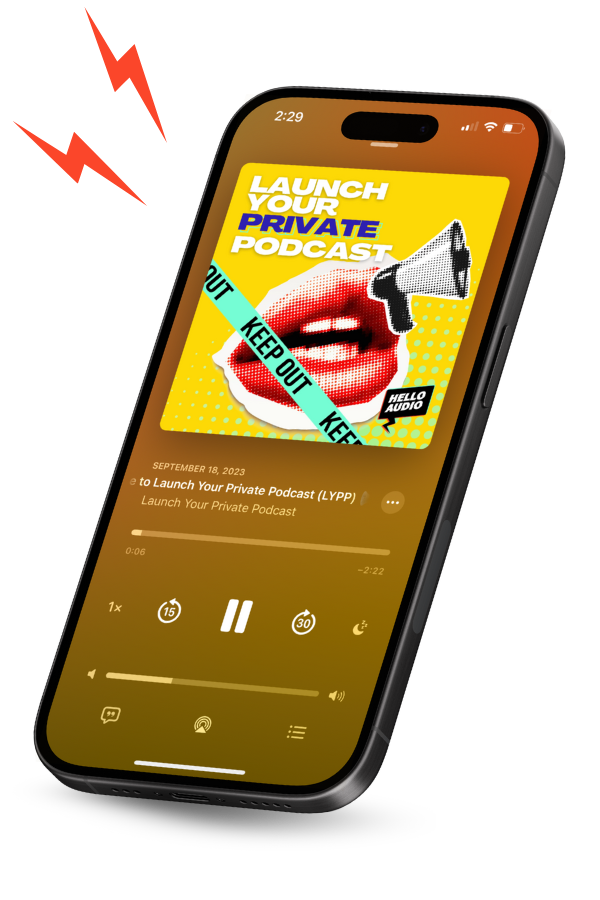
Why would a creator skip a public show entirely? Tori Sprankel, founder of Eldest Daughter Studio, chose private for her audience of busy mom entrepreneurs. She launched in a week. Hear why she went private on our Launch Your Private Podcast show.
What Does Each Platform Cost?
Here are the starting prices for each platform, at standard annual billing:
- ●RSS.com: It starts at $15 per month. It also has a free plan.
- ●Hello Audio: Our plans start at $14 per month. We also offer a 7-day free trial.
The earning models split along the same line as privacy. On Apple Podcasts Subscriptions, creators keep 70% of each subscription per billing cycle.
That share rises to 85% once a subscriber passes a year of paid service. RSS.com’s programmatic ads suit shows with steady public downloads.
We take a different route. Our Stripe Connect integration and listener signup pages let you charge for feed access through your own Stripe account.
Stripe’s fees apply.
Earnings vary widely with audience size, price point, and offer. Treat any figure as an example.
Our full Hello Audio plan comparison shows everything each plan includes.
Factors to Consider Before You Choose
The right platform depends on who your audience is and what you want them to do. Weigh these factors before you commit:
- ●Audience: Decide whether you’re reaching the public or a specific group, such as students, members, or clients.
- ●Access control: Check whether each listener needs a unique link you can revoke at any time.
- ●Content type: Gated material like audio for your course or coaching replays calls for private feeds.
- ●Release timing: Look for dripped, expiring, and tag-based releases if content follows a schedule.
- ●Listener insight: Consider whether you need to see who’s listening. Our listener management features can trigger actions from that behavior.
- ●Monetization: Choose between ads and app-store subscriptions or selling feed access through your own Stripe account.
- ●Budget: Compare starting prices against the features you’ll actually use.
- ●Setup time: Ask how fast a first feed can go live. Over 70% of our new users launch within 24 hours.
Results vary by creator and audience. As one example, course creator Jade Jemma reported a 90% completion rate on a three-week sales bootcamp delivered by audio.
If that sounds like your audience, it’s exactly the job we built Hello Audio for.
Hello Audio is our private podcast platform for creators who want their content heard, start to finish. Here’s what you get from day one:
- ●No new app for listeners: Your audience adds a private feed to the podcast app they already use, on iPhone or Android.
- ●Video in, audio out: Upload video recordings on any plan. We convert them to audio automatically.
- ●Recordings that come to you: Our Audio Inbox collects new recordings, ready to drop into a feed. There’s no download and re-upload cycle.
Get a feel for the dashboard with our instant Hello Audio demo.
Can You Run Both Side by Side?
Yes. For some creators, it’s the most practical setup.
A creator could keep a public show on RSS.com for discovery and ad revenue.
Our feeds can then handle the private side: a course feed, a members-only series, or a private audio lead magnet that turns public listeners into buyers.
Our plans also include a public feed. If you want one dashboard, you can publish a public show with us too.
Before you split platforms, weigh these two trade-offs:
- ●Two dashboards: Separate hosts mean separate uploads, separate analytics, and separate bills.
- ●Clear roles: Give each feed one job, either public reach or private delivery. Listeners will always know where to go.
Frequently Asked Questions
Here are quick answers to common questions about these two platforms:
Is RSS.com Free to Use?+
Yes. RSS.com’s free plan includes unlimited episodes and directory distribution.
The plan has no expiration. You’ll add a credit card before uploading a second episode.
RSS.com’s pricing page says you won’t be charged for it.
Can I Make a Private Podcast on RSS.com?+
RSS.com’s published plans focus on public distribution. Subscriber-only content runs through Apple Podcasts Subscriptions on Plus and above.
Ask RSS.com directly if you need unlisted, per-listener feeds.
Can I Publish a Public Podcast With Hello Audio?+
Yes. Every one of our plans includes a public feed alongside its private feeds.
Our Powerhouse plan includes two public feeds.
Do My Listeners Need a Special App?+
No. Public RSS.com shows appear in the major directories.
Our private feeds work in any podcast app that lets you add a show by URL. That includes apps on iPhone and Android.
Can I Move My Existing Episodes Over?+
Usually, yes. We support importing feeds from other hosts.
RSS.com offers three free months on a paid plan when you switch a show to it.
Conclusion
Hello Audio vs RSS.com comes down to the job you need done. RSS.com is built to publish public shows to podcast directories.
We built Hello Audio for private, gated audio and the listener control around it. If your goal is getting a specific audience to finish what you’ve made, that’s the work we designed it to do.
Hello Audio is our creator-first home for private podcasts. Three things set it apart for gated content:
- ●A unique link for every listener: You grant and remove access one person at a time.
- ●Paid access on your terms: You can charge for feeds through your own Stripe account with listener signup pages.
- ●Room to grow: Every plan includes unlimited episodes and unlimited listeners.
Start your free 7-day Hello Audio trial, with no credit card required.